In today’s digital world, data is the foundation of every application — from banking platforms and e-commerce websites to AI assistants and recommendation engines. But not all data is the same, and that’s why different types of databases exist.
Traditionally, systems relied on SQL databases to manage structured data. As the web evolved and data became more diverse, NoSQL databases emerged to handle scale and flexibility. More recently, with the rise of artificial intelligence and machine learning, Vector databases were introduced to support semantic search and similarity-based retrieval.
This guide explains what SQL, NoSQL, and Vector databases are, why each is needed, their real-world use cases, and how they differ — so you can confidently choose the right one for your system.
What Is an SQL Database?
An SQL (Structured Query Language) database is a relational database that stores data in tables with predefined columns and relationships. Every record follows a fixed schema, and data integrity is maintained through constraints and transactions.
Key Characteristics
- Structured, tabular format
- Strong consistency and reliability
- Supports complex queries, joins, and analytics
- Ensures data accuracy through transactions
Why SQL Is Needed
SQL databases are essential when your application requires:
- Accurate financial transactions
- Strict validation and data consistency
- Complex reporting and historical analysis
Common Use Cases
- Banking and financial platforms
- Inventory and order management systems
- Enterprise resource planning (ERP)
- Business intelligence and reporting dashboards
Popular SQL Databases
- MySQL — popular open-source database for web applications
- PostgreSQL — advanced relational database with extensibility
- Microsoft SQL Server — enterprise-grade database for business workloads
- Oracle Database — high-performance commercial relational system
- SQLite — lightweight embedded database for mobile and local apps
What Is a NoSQL Database?
A NoSQL database is a non-relational database designed to store unstructured or semi-structured data without a fixed schema. It allows applications to scale easily and adapt to changing data models.
Key Characteristics
- Flexible or schema-less data models
- Optimized for high scalability and distributed systems
- Designed for high throughput and low latency
- Handles massive volumes of diverse data
Why NoSQL Is Needed
Modern applications generate a wide variety of data such as logs, user-generated content, sensor data, and real-time events. NoSQL databases allow teams to:
- Scale horizontally across servers
- Store rapidly evolving data formats
- Handle millions of concurrent users
Common Use Cases
- Social media platforms and content feeds
- Real-time analytics and event processing
- IoT and telemetry systems
- Content management systems
Popular NoSQL Databases
- MongoDB — document-based database for flexible data storage
- Cassandra — distributed wide-column database for massive scale
- DynamoDB — fully managed key-value store for cloud workloads
- Redis — in-memory key-value store for caching and fast access
- Neo4j — graph database for relationship-driven data
What Is a Vector Database?
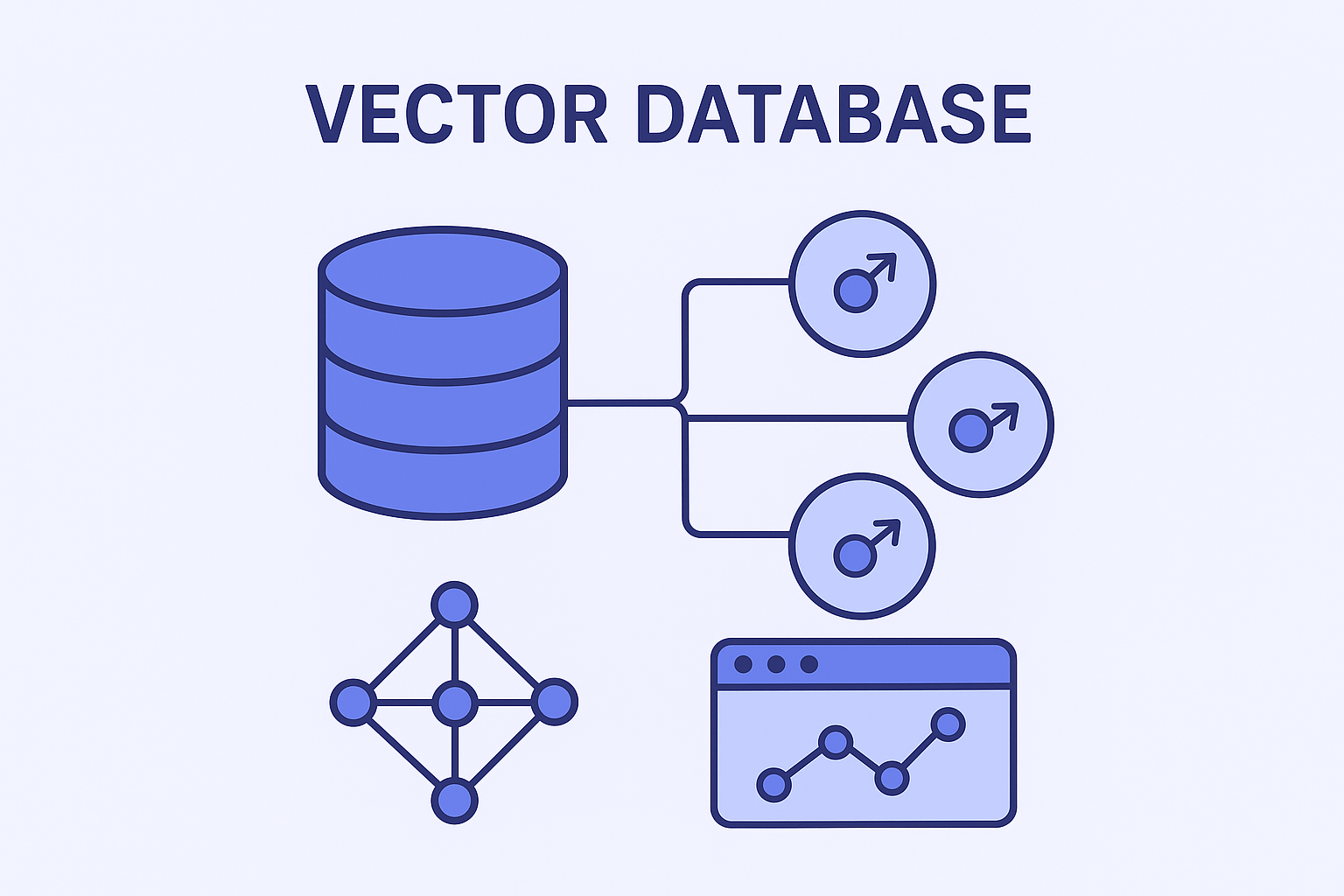
A Vector database stores numerical vector representations of data generated by machine learning models. These vectors represent the semantic meaning of text, images, audio, or video. Instead of searching for exact matches, vector databases retrieve results based on similarity.
Key Characteristics
- Stores high-dimensional embeddings
- Supports similarity and nearest-neighbor search
- Designed for AI-driven and semantic applications
- Optimized for fast retrieval across millions of vectors
Why Vector Databases Are Needed
Traditional databases are not efficient at finding “similar” data. Vector databases enable:
- Semantic search instead of keyword search
- AI-powered recommendations
- Contextual document retrieval for chatbots
- Image, voice, and video similarity matching
Common Use Cases
- AI chatbots and assistants
- Recommendation engines
- Semantic search platforms
- Retrieval-augmented generation (RAG) systems
- Image and video search engines
Popular Vector Databases
- Pinecone — fully managed vector search platform
- Milvus — open-source high-performance vector database
- Weaviate — vector database with semantic metadata
- Qdrant — vector search engine with filtering support
- Chroma — lightweight vector store for AI projects
- pgvector — vector extension for PostgreSQL
- Redis Vector — Redis with vector indexing and search
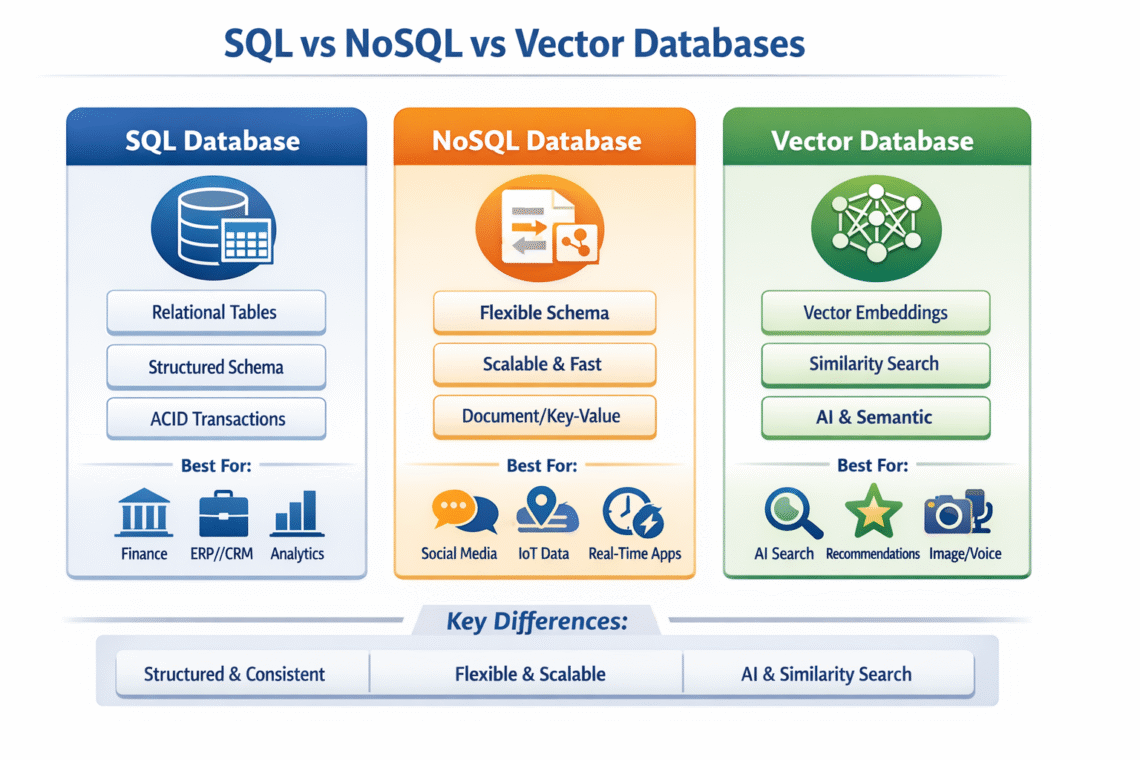
SQL vs NoSQL vs Vector Databases — Key Differences
| Feature | SQL | NoSQL | Vector |
|---|---|---|---|
| Data Structure | Tables with schema | Flexible, schema-less | Numerical vectors |
| Query Type | Structured SQL queries | API-based or custom queries | Similarity search |
| Best For | Transactions and reports | Scale and flexibility | AI and semantic search |
| Scalability | Vertical scaling | Horizontal scaling | Optimized for vector search |
| Typical Use | Finance, ERP, analytics | Social apps, IoT, big data | AI, search, recommendations |
Which One Should You Choose?
There is no single “best” database — only the right one for your problem:
- Choose SQL when data consistency, accuracy, and structured relationships matter most.
- Choose NoSQL when your system must scale massively and handle flexible data formats.
- Choose Vector databases when your application needs AI-driven similarity, semantic understanding, or contextual search.
Many modern systems combine all three — for example:
- SQL for transactional data
- NoSQL for logs or user activity
- Vector database for AI search and recommendations
This hybrid approach delivers the best performance, scalability, and intelligence for modern platforms.
Final Thoughts
As applications become more data-driven and AI-powered, understanding the strengths of SQL, NoSQL, and Vector databases is essential. Choosing the right database architecture not only improves performance and scalability but also future-proofs your system for evolving data and business needs.
If you’re building next-generation software, mastering these three database types will give you a strong technical advantage.